
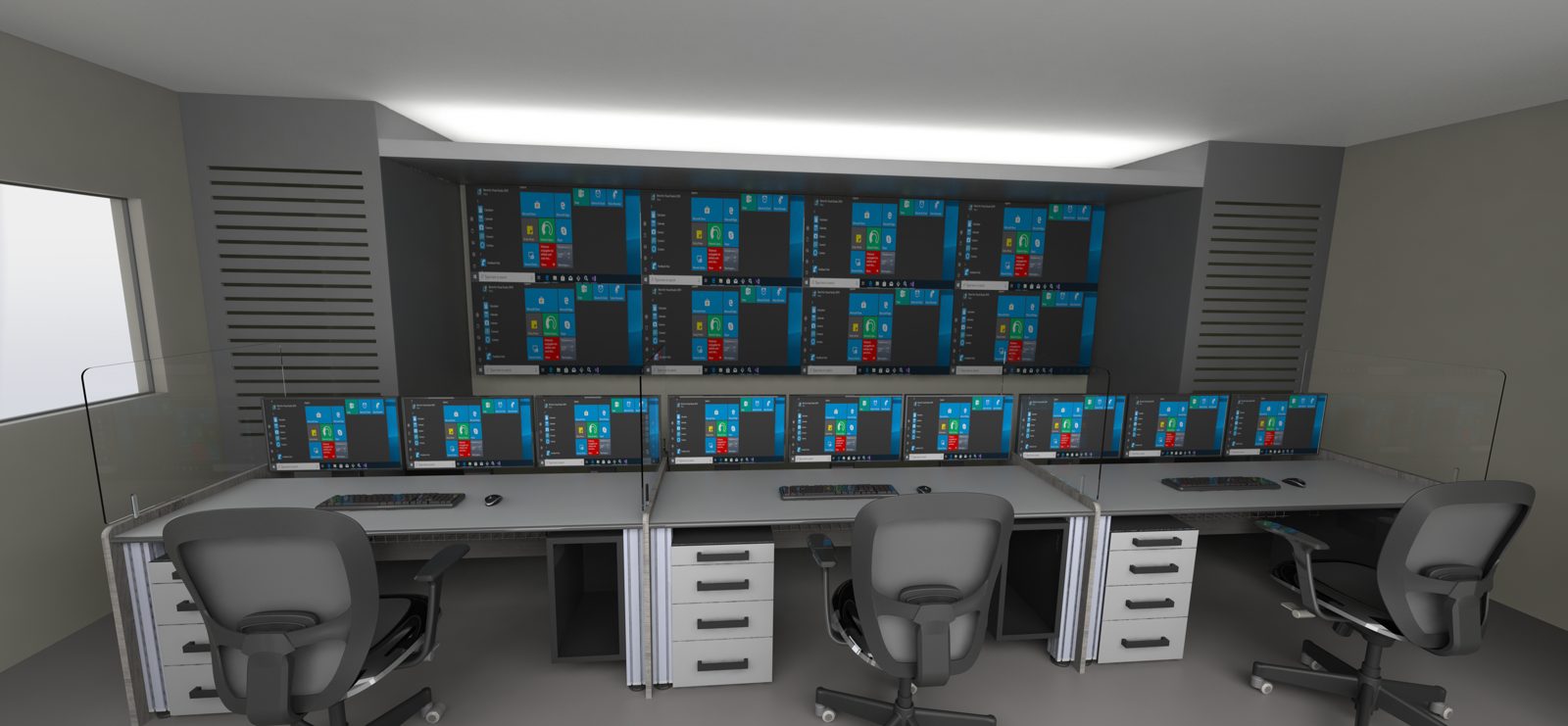
Most of the cost of a control room is fixed long before anything is built. So is most of its performance. A handful of early decisions set the layout, the equipment, the build cost and how well operators cope on a bad night.
We have designed control rooms since 2009. These are the twelve decisions we see shape every project. Get them right in order, and the rest of the design follows.
1. Who works in the room, and what do they do?
Start with operators and tasks, not furniture. List every role, every system and every task, for normal running, upsets and emergencies.
Ask what changes at night and during an incident. Ask how many people will be on shift in five years. This brief drives every later decision.
Talk to the operators and shift supervisors, not only to management. Sit in on a shift handover. You will learn more in one handover than in a week of meetings about the room.
2. Who needs to talk to whom?
A link analysis maps the conversations and the lines of sight between people. Strong links mean positions sit together. The supervisor needs to see every operator and the overview display.
Rate each link by how often it is used and how much it matters in an upset. Two operators who coordinate every few minutes should not sit at opposite ends of the room.
This one diagram often settles arguments about the layout before they start.
3. Does the space actually fit?
Test the room before you design it. Check floor area, ceiling height, columns, windows, doors and access for equipment.
Low ceilings limit the overview display. Columns break sightlines. Windows behind screens cause glare for the life of the room. If the space fails, move the room on paper now, while it is cheap.
Also check the distance to the equipment room and the cable routes between them. A room that is far from its equipment room pays for it in cabling, KVM extension and maintenance time.
4. How are the positions arranged?
Place positions so that every operator sees the overview display without turning. Keep walkways out of the operator’s field of view. Keep busy doors away from operators’ backs.
Check every sightline in section as well as plan. A monitor arm that looks harmless in plan can block the view of the display.
5. How many screens does each operator need?
This decision sets the console size, the cost and the heat load. Count the screens the task needs, not the most that will fit.
More screens do not mean more control. They mean more places to miss an alarm. Keep primary screens in the central view and secondary screens to the side.
Every extra screen also adds console width. Wider consoles push positions apart, which can stretch the room and weaken the links you mapped in decision 2.
6. Where do the computers live?
Put PCs in an equipment room, not under the desk. Use KVM switching so each operator controls several systems from one keyboard and mouse.
This removes heat and noise from the operator space. It also means maintenance staff can work without disturbing a live shift.
7. How big is the overview display?
Size the display to the viewing distance and the content, not to the wall. The test is simple: can the operator at the furthest seat read the smallest text they need?
Decide the content first: site overview, shared CCTV, key alarms. Then choose the size, resolution and technology. Mount it so operators do not tilt their heads back for a whole shift.
8. How many alarms will the operator see?
A good room still fails under an alarm flood. Review the alarm load with the owner and the control system team before the room opens.
Agree an HMI hierarchy, from overview to detail. Use colour only for abnormal states, so alarms stand out. These choices also change the number of screens you need.
9. What does the room feel like at 03:00?
The room runs 24/7. Plan for alertness on night shift, not only for a visit during the day.
- Indirect, dimmable lighting, with no glare on screens.
- Acoustic treatment, so radio and alarms stay clear.
- Stable temperature, with heat removed at source.
- Chairs rated for 24/7 use by several people.
10. What surrounds the room?
Plan the support spaces at the start. They are the first to be cut and the most missed. Without a handover space, the handover happens over the shoulder of the operator on duty.
- A shift handover space away from operators on duty.
- Rest, kitchen and ablutions close by.
- An equipment room with cooling and access control.
- An incident room for managing major events.
- Backup or emergency positions if the main room is lost.
11. How will you tender and build it?
Write the specification around performance, not a brand. Define clear interfaces between AV, furniture, electrical and building trades. Set test and acceptance criteria up front.
A performance specification lets qualified suppliers compete on the same scope. You can then compare bids line by line, rather than comparing three different rooms.
Then supervise the build. Check display heights and sightlines on site with real chairs and real people. Test every KVM path and lighting scene before handover. Train operators and maintenance staff before the old room is switched off.
12. How will it change over the next ten years?
Every room changes. Positions are added, systems are replaced, displays reach end of life.
Leave space for growth, both for extra positions and for a larger overview display. Keep cable routes accessible, with spare capacity. For upgrades to a live room, phase the work so operators always have a working position, and rehearse every cutover with a fallback.
A note on standards
We develop designs with reference to recognised standards. The main one is ISO 11064, on the ergonomic design of control centres. EEMUA 191 and IEC 62682 cover alarms, and ANSI/ISA-101.01 covers HMIs. Local fire, building and cyber codes differ by country, so we check them per project. Site and owner specifications take precedence.
Where to start
Start with decisions 1 to 3. Know your operators and tasks, map the links, and test the space. Those three steps prevent most of the expensive mistakes we see.
For the full process and the standards that apply, read our Control Room Design Guide. If you are planning a new room or an upgrade, start a project with us.
Reghardt Rautenbach is Managing Director of Oculus Operational Innovations, a control room design firm working in Southern Africa and the GCC since 2009.